Central Heating Controller – in Living Room
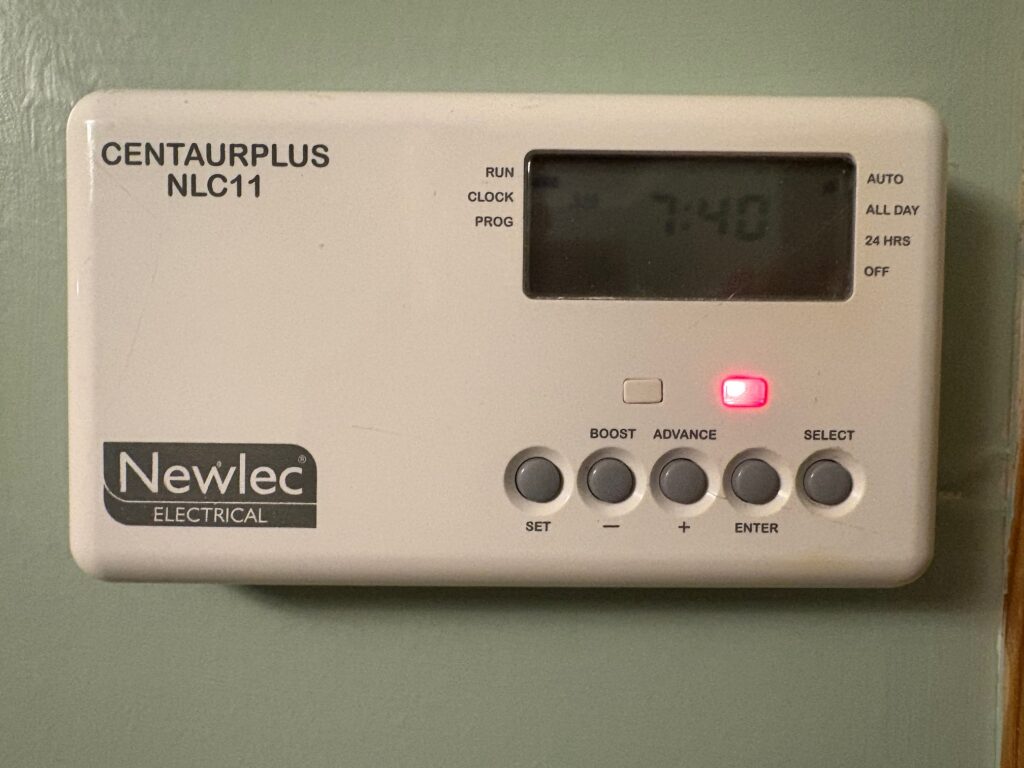
- The Central Heating programmer is set to AUTO and will come on at the following times –
- Winter heating settings – 08:00-09:00, 16:00-17:00, 20:00-21:00
- Summer heating settings – 08:00-08:30, 16:00-16:30
- BOOST: If you require extra heating, first check the Radiator TRV’s are turned up, then if still required press BOOST (for a 1 hour override) if the system is currently OFF. The display will show “BOOST” during this time and the “system ON” indicator will light.
- ADVANCE: If the system is either OFF or ON, pressing ADVANCE moves it immediately to the next programme event (e.g., if OFF → next ON; if ON → next OFF). The display shows “ADVANCE” until the next scheduled switching time.
- DO NOT PRESS OR ALTER ANY OTHER SETTINGS
Hot Water Controller – in kitchen cupboard

- The hot water programmer output is ON when the Red Dot on the fused switch is showing.
- The programmer is set to heat the water cylinder once per day in the evening.
- BOOST: – One press of the boost button will provide 1 hour of boost, after which the output will turn OFF.
- Two presses of the boost button will provide 2 hours of boost, after which the output will turn OFF.
- A third press of the boost button will cancel any boost period and return you to normal operating mode.
Becko built-in Oven
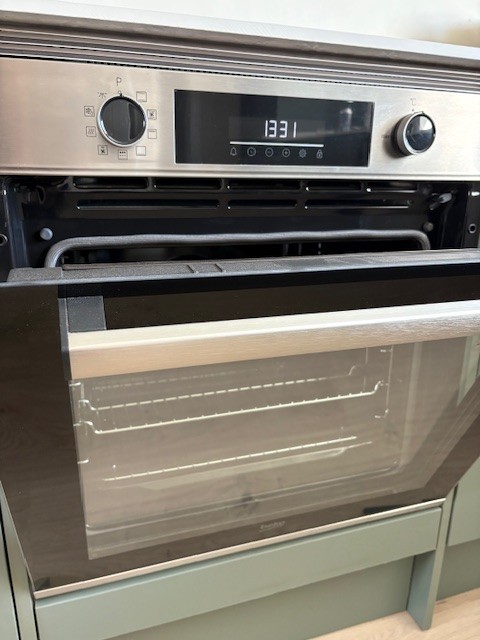
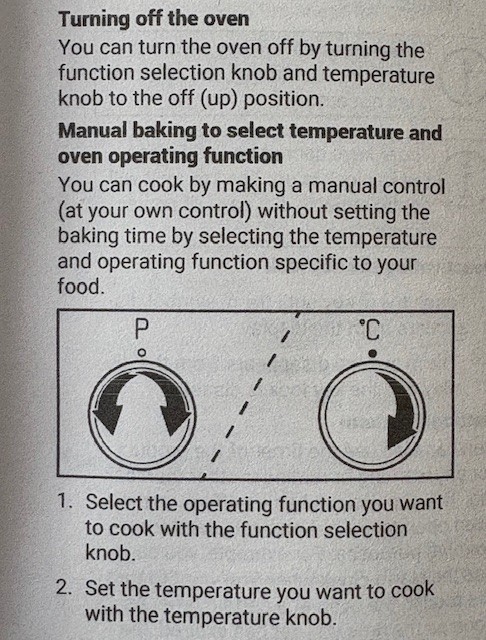
- See page 20 of the User Manual
- Basically there are two selection knobs – one for Function and the other for Temperature.
Becko built-in Hob
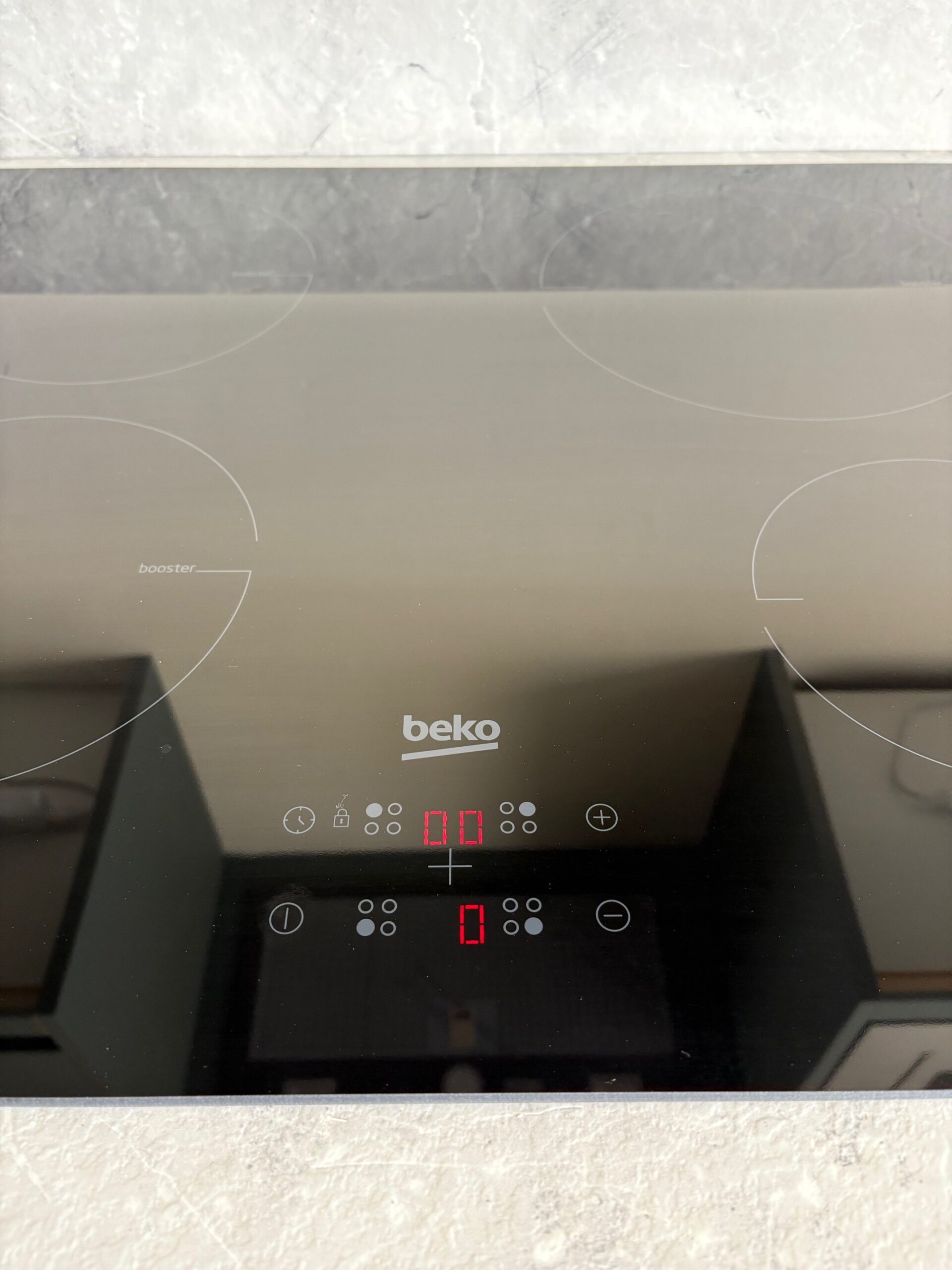
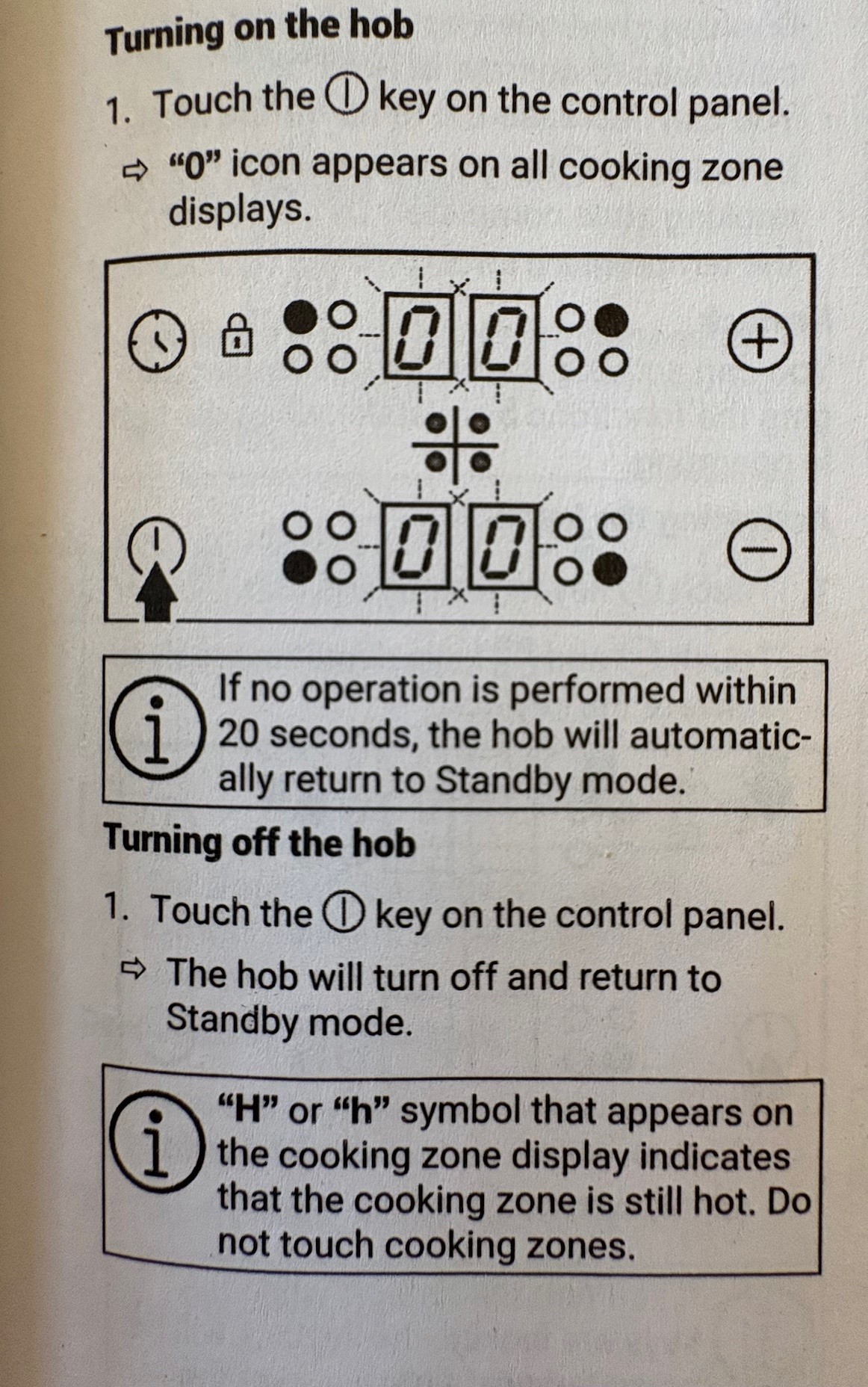
- See page 12 of the User Manual
- Basically there are tow selection knobs – one for Function and the other for Temperature.
Becko built-in Microwave Oven
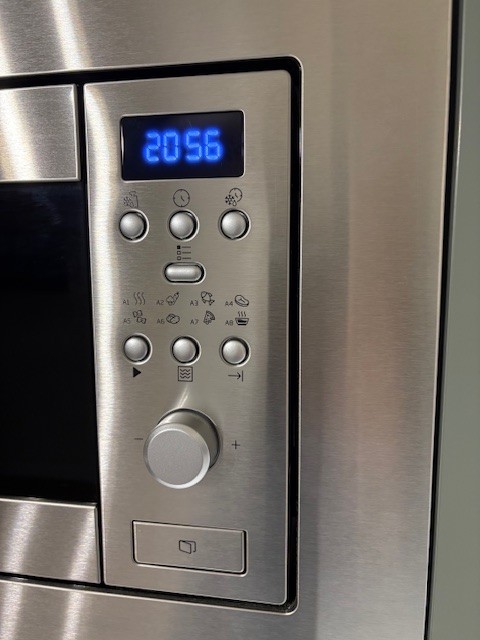
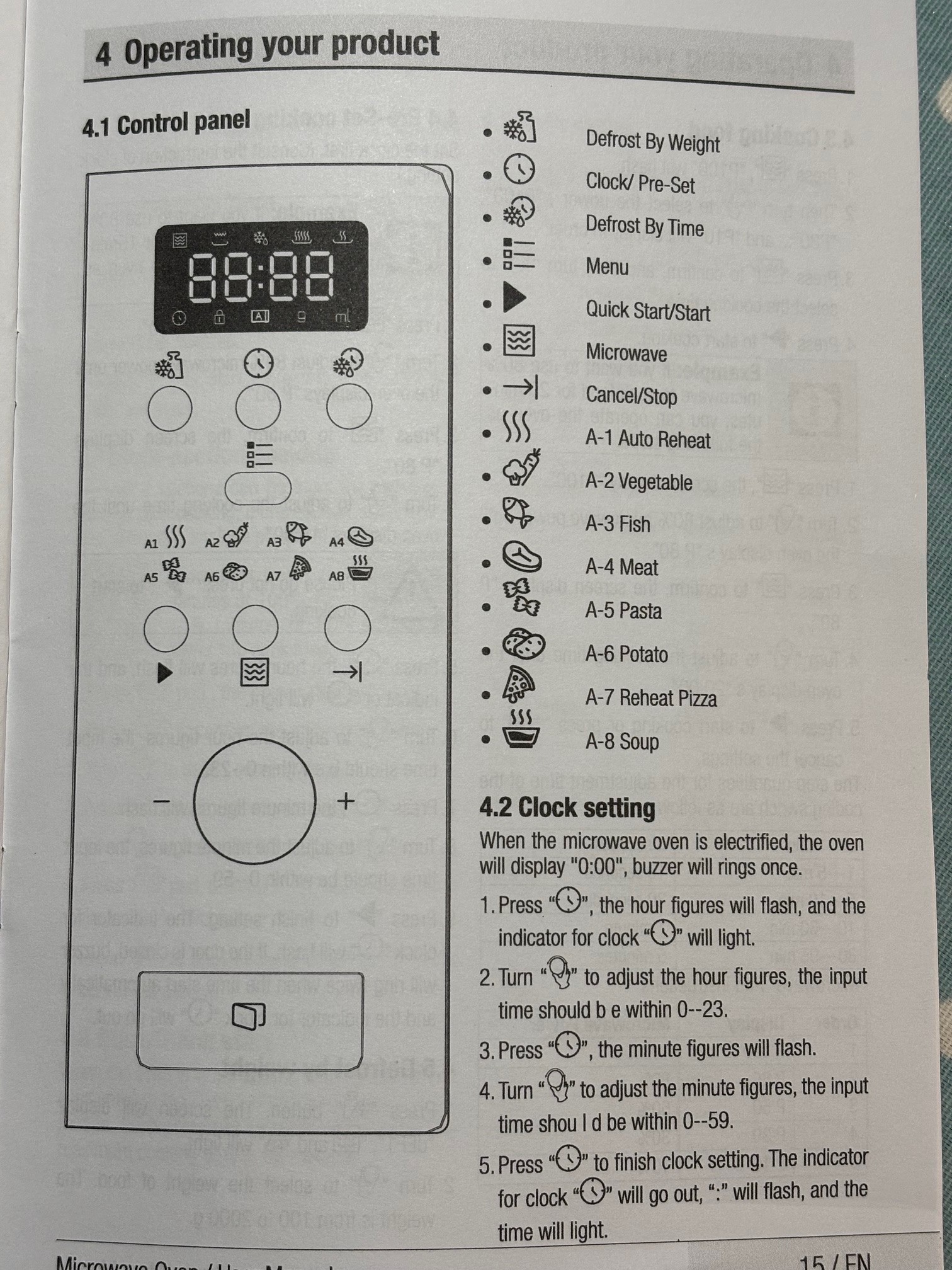
- See page 15 onwards of the User Manual
- There is a Quick Start/Start button the black Arrow/Triangle play button, and then you can turn the large knob to select an amount of time.